
If you've spent any time writing Selenium tests, you already know the pain—flaky waits, brittle selectors, and test suites that break every time someone tweaks the CSS. TypeScript with Playwright solves most of that out of the box. It's become the go-to combination for teams building automation frameworks that actually hold up over time, and it's worth understanding why before you commit your next project to it.
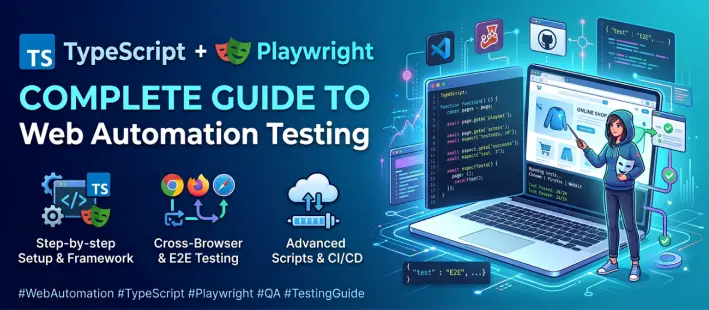
What is Playwright?
Playwright is Microsoft's browser automation library, and it's built differently from the tools that came before it. Instead of relying on browser drivers that constantly fall out of sync with browser updates, Playwright talks directly to Chromium, Firefox, and WebKit through their own protocols. That means fewer version mismatches, faster execution, and support for things older tools struggle with—multiple tabs, iframes, shadow DOM, and network interception.
It also ships with a few tools that make life easier day to day: a codegen recorder that writes test code as you click through your app, and a trace viewer that lets you scrub through exactly what happens when a test fails, screenshot by screenshot.
Why Use TypeScript with Playwright?
You don't have to use TypeScript—Playwright works fine with plain JavaScript. But once your test suite grows past a dozen files, the gaps start showing.
- Type safety — a wrong argument or a mistyped property gets flagged before you even run the test, not after it fails in CI
- Better autocomplete — your editor already knows every method a page or locator object supports, so you're not guessing or checking docs constantly
- Easier refactoring — change a function signature once, and every broken usage lights up immediately instead of surfacing as a mystery failure three weeks later
- Cleaner Page Object Models — typed classes make it obvious what a page object expects and returns, which matters a lot once multiple people are contributing to the same framework
- Fewer runtime surprises — most of the small, annoying bugs (wrong variable, missing property) get caught before the test even starts
Teams that have scaled Playwright frameworks past a few hundred tests almost always end up on TypeScript, simply because plain JS becomes hard to maintain at that size.
Setting Up Playwright with TypeScript
Setup is genuinely quick:
bash
npm init playwright@latest
The CLI walks you through a few prompts — pick TypeScript when asked, choose your test folder, and decide whether you want a GitHub Actions workflow generated automatically. Once it's done, you'll have:
- playwright.config.ts— where browsers, base URL, timeouts, and retries live
- tests /— your spec files
- Browser binaries already downloaded and ready to run
There's no separate TypeScript configuration step required. It just works.
Core Concepts You Should Know
Locators
Locators are how you find and interact with elements, and they're designed to be resilient by default:
typescript
await page.getByRole('button', { name: 'submit' }).click();
They're lazy—nothing resolves until you actually act on it—and they auto-retry, which is a big part of why Playwright tests are less flaky than what you might be used to with older tools.
Auto-Waiting
This is probably the single biggest quality-of-life difference from Selenium. You don't sprinkle sleep() calls or manual wait conditions everywhere. Playwright checks that an element is visible, stable, and actually clickable before it interacts with it. Most of the flakiness people associate with browser automation simply doesn't happen here.
Assertions
Assertions like toHaveTest() → toHaveText() aren't one-shot checks — they retry against the current timeout window until the condition passes or time runs out. That means a slightly slow page load doesn't fail your test outright; it just waits it out.
Best Practices for TypeScript with Playwright Testing
- Use the Page Object Model (POM) — keep locators and page interactions in dedicated classes, separate from your test logic. It pays off the moment more than one person touches the codebase.
- Use fixtures for shared setup — logging in once and reusing that session across tests saves a surprising amount of execution time.
- Run tests in parallel — this is on by default, and it's one of the reasons Playwright suites finish so much faster than equivalent Selenium ones.
- Integrate with CI/CD — Playwright plugs into GitHub Actions, GitLab CI, and Jenkins; it has no friction, and running tests on every PR catches regressions before the merge.
- Enable the trace viewer for debugging — set trace: ‘on-first-retry’ in your config, and when something fails intermittently, you'll actually have evidence instead of guessing.
Playwright vs Selenium vs Cypress
| Feature | Playwright + TS | Selenium | Cypress |
|---|---|---|---|
| Cross-browser support | Chromium, Firefox, WebKit | Broadest overall | Limited |
| Auto-wait | Built-in | Manual | Built-in |
| TypeScript support | Native | Bolted on | Native |
| Parallel execution | Free, built-in | Needs extra setup | Paid feature |
| API testing | Built-in | Needs extra libraries | Limited |
Selenium still wins on raw browser and language coverage, which matters if you're dealing with legacy systems. Cypress is solid for component-level testing but hits real limits with multi-tab flows. For most modern web apps, Playwright ends up being the more practical choice—faster to write, faster to run, and less maintenance overhead.
Real-World Use Cases
- E-commerce testing — Cart and checkout are where most bugs hide, especially around coupons and payment steps. TypeScript with Playwright lets you run the whole flow as one test, so you catch these before your customers do.
- Enterprise web apps — Approval chains, dashboards, filters — this stuff breaks quietly between releases. Script the workflow once with TypeScript and Playwright, and it flags exactly where it stopped working.
- Combined API + UI testing — Sometimes the API's wrong and the UI just shows it anyway without complaint. Playwright checks both in the same test, so you're not maintaining two suites that disagree with each other.
- Visual regression testing — A small CSS change somewhere else in the app can quietly break a layout. Playwright's screenshot comparison picks that up in CI, before it reaches production.
Start your journey towards a successful automation testing career
Selenium teams are switching to Playwright faster than most people expect, and that's opening up real opportunities for testers who get ahead of the curve. Nobody's going to hand you a job because you read about Playwright once—you learn it by breaking things and fixing them.
If you're planning to get into TypeScript with Playwright testing courses in Chennai, skip the tutorial-only route. Grab a real website, write a handful of tests, let them fail, and dig into why—that's genuinely when POM, fixtures, and CI setup start clicking, not while you're still just watching videos.
Doesn't matter if you're a fresher or coming over from manual testing. At AiiTE Academy, you're put onto a real project almost from day one, writing actual tests early instead of sitting through weeks of slides first. So set something up this week, write a few tests, and just see where it takes you.
Frequently Asked Questions
Not really. Basic JavaScript is enough to get started, and TypeScript concepts tend to click naturally as you write more tests—the editor guides you along the way.
For most modern web apps, yeah. It's quicker to write tests in, you're not manually handling waits every five minutes, and TypeScript actually feels like part of the framework instead of something bolted on afterward.
It can—device emulation is built in, so you can check how a site holds up across different screen sizes without needing an actual phone or tablet on hand.
If you already know some JS or TS, you're usually writing decent tests within a week or two. Getting comfortable with bigger framework patterns like POM takes a bit longer, but that mostly comes from just working on real projects, not more reading.